

A Supplement Facts table is the FDA-mandated disclosure panel required for all dietary supplements under 21 CFR 101.36, covering every element from serving size to ingredient amounts and Daily Value percentages. Getting this panel right is not optional. Errors trigger FDA warning letters, costly reprints, and lost consumer trust. This guide walks formulators and health enthusiasts through the exact formatting rules, ingredient listing requirements, common mistakes, and tools needed to build a compliant, accurate Supplement Facts table every time.
What are the mandatory elements to structure supplement facts table accurately?
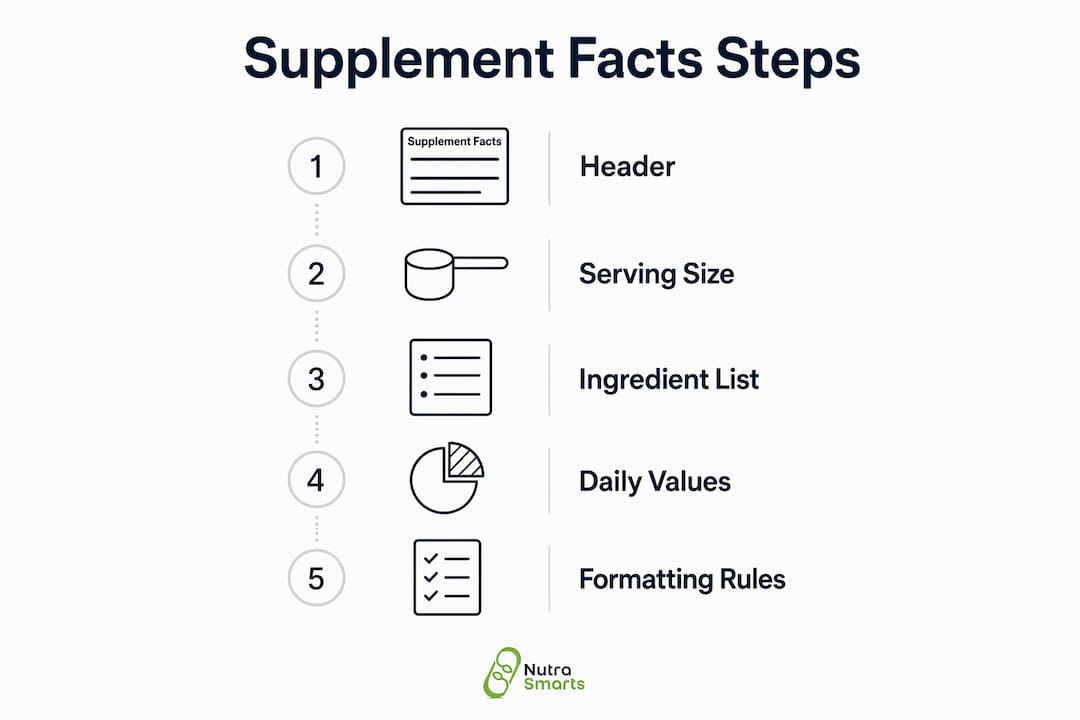
The Supplement Facts panel has a fixed structure defined by FDA regulation. Every element has a required position, size, and format. Deviating from any one of them creates a compliance risk.
The panel opens with a bold "Supplement Facts" header. This header must appear in a minimum 8-point type size. Below it, a 3-point hairline rule separates the header from the serving information, and a 0.5-point rule separates the serving block from the ingredient list. The entire panel requires a boxed border with specific line thicknesses and precise left-right alignment of ingredient names and amounts.

Serving size is the first data point after the header. It must include both a common household measure and a metric weight. "1 capsule (500 mg)" is correct. "1 scoop" alone fails FDA requirements. Servings per container must also appear and must match the net quantity on the label.
The body of the panel uses a minimum 6-point type for all ingredient information. Sub-ingredients are indented to show hierarchy. Ingredient names appear flush left; amounts and % Daily Values appear flush right. This alignment is not a design preference. It is a regulatory requirement.
Color and contrast rules are equally strict. The FDA mandates white or neutral backgrounds with black or dark-colored text. Branding aesthetics must yield to technical compliance. A panel printed in gold text on a dark background may look premium but will fail a compliance review.
| Formatting Element | Requirement |
|---|---|
| "Supplement Facts" header type size | Minimum 8-point, bold |
| Body ingredient type size | Minimum 6-point |
| Header hairline rule | 3-point below header |
| Serving info rule | 0.5-point below serving block |
| Background and text contrast | White/neutral background, black/dark text |
| Ingredient name alignment | Flush left; amounts flush right |
Pro Tip: Print a physical proof of your label at actual size before finalizing. Digital mockups often hide type-size violations that only become visible at true scale.
How to list dietary ingredients and apply quantity and Daily Value information correctly
Ingredient ordering follows a strict rule: list by descending weight. The heaviest ingredient by weight appears first. This applies both to the main ingredient list and to ingredients inside a proprietary blend.
Ingredients with established Daily Values get a percentage listed in the % DV column. Ingredients without established Daily Values require a dagger symbol (†) in the % DV column. The footnote at the bottom of the panel must read "Daily Value not established." Missing this footnote is one of the top causes of FDA citations as of april 2026. The dagger and its footnote are not optional formatting choices. They are required disclosures.
Units of measurement must match the ingredient type:
- Milligrams (mg): Use for most minerals and many botanical extracts, such as magnesium (400 mg) or ashwagandha root extract (300 mg).
- Micrograms (mcg): Use for vitamins like B12, folate, and vitamin D when declared in mcg rather than IU.
- International Units (IU): Still used for vitamins A, D, and E in some legacy formats, though FDA now encourages mcg and mg equivalents.
- Grams (g): Use for macronutrient-level ingredients like protein or fiber when present in gram quantities.
Proprietary blends require special handling. The blend must declare its total weight and list individual ingredients by descending weight order within the blend. The blend name appears on the left; the total weight appears on the right. Individual ingredients are indented below the blend name with no individual weights required, though individual weights are permitted and build consumer trust.
Allergen declarations belong below the ingredient list but outside the Supplement Facts box. Common allergens under the Food Allergen Labeling and Consumer Protection Act include milk, eggs, fish, shellfish, tree nuts, peanuts, wheat, and soybeans. If any of these appear in the formula, a "Contains: [allergen]" statement is required.
Pro Tip: When working with botanical extracts, always specify the plant part (root, leaf, seed) and the extraction ratio or standardization percentage directly in the ingredient name. This prevents ambiguity during FDA review and builds credibility with informed consumers.
What are common mistakes when formatting supplement facts tables?
The single most damaging mistake is using a Nutrition Facts panel instead of a Supplement Facts panel. Nutrition Facts panels are for conventional foods. Dietary supplements under 21 CFR 101.36 require the Supplement Facts format. This is a frequent and preventable violation that can trigger immediate FDA enforcement. The two panels look similar but have different required fields, footnotes, and formatting rules.
A structured checklist approach prevents most errors before they reach print:
- Confirm panel type. Verify the product is classified as a dietary supplement, not a conventional food or drug.
- Match the validated Master Formula Record. Every ingredient name, amount, and unit on the label must match the validated master formula exactly. Never rely on initial artwork files.
- Check serving size format. Confirm both household measure and metric weight appear together.
- Verify ingredient order. Confirm descending weight order throughout, including inside proprietary blends.
- Audit footnotes. Every ingredient without an established Daily Value needs a dagger and the corresponding footnote text.
- Review font sizes. Confirm the header meets 8-point minimum and body text meets 6-point minimum.
- Check font legibility. The FDA strictly enforces type hierarchy and readability. Decorative or condensed fonts fail compliance checks even when sized correctly.
- Inspect alignment. Ingredient names flush left, amounts and % DV flush right, sub-ingredients indented.
"The major cause of labeling violations is poor communication between formulation and labeling teams, leading to a mismatch between the label and the validated master formula." — FDA Supplement Label Compliance Checklist
This communication gap is the root cause behind most costly reprints and warning letters. Formulators must hand off a finalized, signed Master Formula Record to the labeling team. The labeling team must verify against that record, not against a previous label version or a verbal summary.
What tools and resources help create compliant supplement facts tables?
FDA templates are the correct starting point for any Supplement Facts panel. They provide the structural blueprint: correct box layout, line weights, and field positions. However, FDA templates require customization to match each product's exact ingredient profile. A template used without verification against the actual formula record is a compliance liability, not a safeguard.
Nutrasmarts offers a free Supplement Facts label creator built for formulators who need FDA-compliant output without managing spreadsheets. The tool automates field placement, type sizing, and alignment, which removes the most common manual formatting errors. For formulators managing multiple SKUs, this kind of automation reduces the risk of version-control errors between products.
| Tool | Strengths | Limitations |
|---|---|---|
| FDA official templates | Free, authoritative structure | Require manual customization; no automation |
| Nutrasmarts label creator | Automated, FDA-compliant output | Requires accurate formula input from user |
| General design software (Adobe Illustrator, Canva) | Full design flexibility | No built-in compliance checks; high error risk |
| Contract label printers | End-to-end service | Higher cost; turnaround time varies |
Ongoing audits matter as much as initial label creation. Regulations update, ingredient Daily Values change, and formulas evolve. The supplement label audit process should be a scheduled activity, not a reactive one triggered by a complaint or warning letter. Build a review cycle into your product calendar, especially when reformulating or updating packaging.
For font-specific guidance, the Nutrasmarts blog covers supplement label font requirements in detail, including which typeface families pass compliance checks and how to balance brand aesthetics with regulatory minimums.
Key Takeaways
Structuring a Supplement Facts table accurately requires matching every element, from type size to ingredient order, to FDA's 21 CFR 101.36 specifications and the validated Master Formula Record.
| Point | Details |
|---|---|
| Mandatory formatting rules | Use minimum 8-point header, 6-point body text, boxed layout, and dark text on a neutral background. |
| Serving size format | Always include both a household measure and a metric weight, such as "1 capsule (500 mg)." |
| Ingredient listing order | List all ingredients by descending weight, including those inside proprietary blends. |
| Dagger footnote requirement | Any ingredient without an established Daily Value needs a † symbol and "Daily Value not established" footnote. |
| Formula record verification | Every label value must match the validated Master Formula Record before going to print. |
The compliance trap most formulators walk into twice
The most consistent pattern I see at Nutrasmarts is formulators who get the big rules right and then get tripped up by the details they assumed were flexible. Font size minimums. Footnote placement. The exact wording of the dagger footnote. These feel like minor formatting choices. They are not. FDA enforcement does not grade on a curve.
The second trap is treating label creation as a one-time event. Formulas change. Ingredient suppliers change. Daily Value reference amounts get updated. A label that was fully compliant at launch can drift out of compliance within 18 months without a single intentional change. The formulators who avoid this are the ones who treat their Supplement Facts panel like a living document, not a finished asset.
Cross-department communication is the fix that most teams resist because it adds process. But a labeling team working from an outdated formula sheet is the most expensive mistake in supplement manufacturing. One mismatched ingredient amount can mean a full label reprint, a product hold, or a warning letter. The cost of a 30-minute review meeting is always lower.
My practical recommendation: build a sign-off checklist that requires both the formulation lead and the regulatory lead to approve the final label before it goes to print. Not a verbal confirmation. A signed document tied to the specific formula version. That single step eliminates the majority of compliance errors I have seen in real-world supplement workflows.
— Nutrasmarts
Nutrasmarts tools for accurate supplement label creation
Building a compliant Supplement Facts table from scratch takes time, and manual formatting errors are the most common source of FDA violations. Nutrasmarts built its free label creator tool specifically to remove that friction for formulators and health enthusiasts who need accurate, FDA-compliant output without the spreadsheet complexity.

The tool handles field placement, type sizing, and alignment automatically, so your focus stays on the formula, not the formatting. For real-world examples of compliant labeling across product categories, the metabolic health supplement reviews and the broader supplement ingredient database show how accurate Supplement Facts tables look across 800-plus reviewed ingredients. If you are building or auditing a label today, the label creator is the fastest compliant starting point available.
FAQ
What is a Supplement Facts table?
A Supplement Facts table is the FDA-required disclosure panel for all dietary supplements, governed by 21 CFR 101.36. It must include a bold header, serving size, and a full list of dietary ingredients with amounts and % Daily Values.
How is a Supplement Facts panel different from a Nutrition Facts panel?
Supplement Facts panels are required for dietary supplements; Nutrition Facts panels are for conventional foods. Using the wrong panel type on a dietary supplement is a direct violation of 21 CFR 101.36 and can trigger FDA enforcement.
What font size does the FDA require for supplement labels?
The "Supplement Facts" header requires a minimum 8-point type size. All ingredient information in the panel body requires a minimum 6-point type. The FDA does not mandate a specific font family but strictly enforces legibility and type hierarchy.
How should proprietary blends be listed on a Supplement Facts table?
Proprietary blends must declare the total blend weight and list each individual ingredient in descending order by weight. Individual ingredient amounts are not required but may be included.
What happens if an ingredient has no established Daily Value?
Any ingredient without an established Daily Value must show a dagger symbol (†) in the % DV column. The footnote "Daily Value not established" must appear at the bottom of the panel. Omitting this footnote is among the most cited FDA labeling violations.